

See our index of over 3,500 games and over 75,000 codes here!
Roblox is more than a gaming platform—it’s a creative universe where players and developers can craft unique experiences, avatars, and games. Whether you’re personalizing your avatar, designing a game, or enhancing your creations with custom features, Roblox offers endless customization possibilities. This blog post explores how to make Roblox your own, from avatar styling to game development, with practical tips and resources to inspire your creativity.
Personalizing Your Avatar
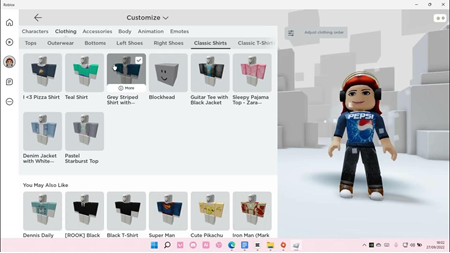
Your Roblox avatar is your digital identity, and customizing it is a fun way to stand out. Start by visiting the Avatar Editor on the Roblox website or app, where you can mix and match clothing, accessories, and animations. Want a unique look? Use the Catalog to purchase or trade items like hats, shirts, or even layered clothing for a realistic fit. For advanced customization, tools like the Roblox Outfit Editor allow you to bypass soft limits (e.g., equipping multiple hairs) or use RGB body colors for precise skin tones. You can also upload custom images for decals or shirts, following Roblox’s guidelines for size and format (typically 512×512 pixels). Check out Roblox’s Avatar Customization Guide for step-by-step instructions.
Creating Custom Games with Roblox Studio
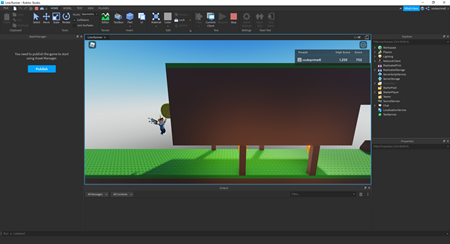
Roblox Studio is the heart of game creation, offering a free, powerful 3D development environment to build anything from obstacle courses to immersive RPGs. Start with templates to streamline your process, customizing character models, environments, and mechanics. For example, the Feature Packages introduced by Roblox allow drag-and-drop implementation of customizable features like mission menus or starter bundles. Enhance your game with UI Styling in Roblox Studio to create and apply complex interface styles with a single click, ensuring a polished look. For inspiration, explore tutorials on Roblox’s Creator Hub or read guides like PDF Reader Pro’s Customization Template for structured design tips.
Adding Custom Visuals and Interactivity
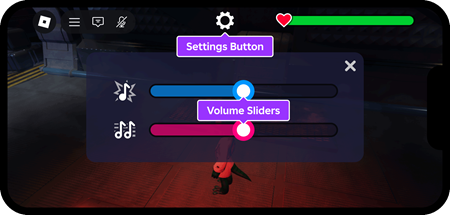
Visual customization elevates your Roblox creations. Use MaterialVariants to apply unique material styles to objects, giving your game a distinct aesthetic. For interactive elements, incorporate ImageLabels and ImageButtons to create engaging UI, as detailed in Galaxy.ai’s tutorial. Advanced creators can experiment with tools like the drawing system showcased in Hangout and Draw, featuring fill buckets, pencils, and lasso tools for in-game art creation. To ensure your visuals align with Roblox’s standards, refer to the Roblox Wiki’s Manual of Style for formatting and quality guidelines.
Sharing and Promoting Your Creations
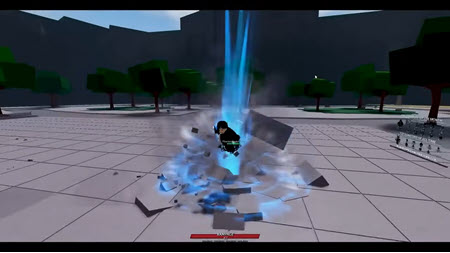
Once your avatar or game is ready, share it with the world! Promote your work on platforms like Twitter, YouTube, or GitHub, as these are approved for linking on Roblox’s DevForum. For developers, customize your Creator Page with links to portfolios or socials to attract collaborators, though custom link support is still a requested feature. Engage with the community by posting on the DevForum or creating a blog with a Roblox-themed domain, as suggested in Tony Teaches Tech’s guide. This not only showcases your work but also builds your reputation in the Roblox ecosystem.
Tips for Success
- Experiment Freely: Roblox’s tools are forgiving—try new styles or mechanics without fear of breaking your project.
- Stay Updated: Follow Bloxy News on X for the latest features and updates.
- Respect Guidelines: Adhere to Roblox’s community standards to avoid moderation issues, especially when uploading custom content.
- Learn from Others: Join Roblox developer communities or watch tutorials to refine your skills.
Conclusion
Customizing Roblox lets you express your creativity, whether through a standout avatar or a fully realized game. With tools like Roblox Studio, Feature Packages, and UI Styling, plus a vibrant community sharing tips, the possibilities are limitless. Dive into resources like Roblox’s Creator Hub or ExitLag’s image upload guide to get started. Make Roblox your own, and share your unique creations with the world
Note: Always verify the latest Roblox guidelines, as features and policies may evolve. Happy creating!
This blog post incorporates references to web sources and X posts, ensuring accurate and relevant information. For more details, explore the linked resources or join the Roblox developer community.

