
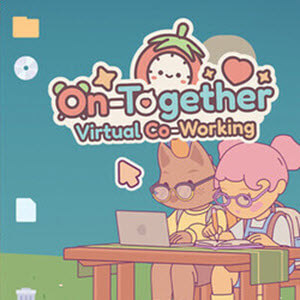
Unlock the latest On-Together hidden codes & locations for invites, secret locations, pets, hangouts and more cool stuff!
Click here to go to our Game index
Contents
About On-Together
Multiplayer “Invite Codes”
Secret Interaction: “The Bubblegum Secret”
Secret Locations & Unlocks
Technical Shortcuts
How to Unlock the 10 Pets
The Final 4 Unlockable Pets
About On-Together
On-Together welcomes you to cozy simulation, casual multiplayer, life sim, relaxing co-op, and productivity utility. Friends or randos pop up as adorable avatars along your screen’s edge, tackling real tasks with Pomodoro timers and checklists. Then, snag breaks for fishing, hoops, or jamming in whimsical spots like treehouses. Moreover, deck out pets and lobbies for extra charm. As a result, focus sharpens amid budding bonds. Therefore, Future Friends Games‘ delightful Indie turns grind into joyful hangs.

Multiplayer “Invite Codes”
The most important “codes” you’ll use are the Multiplayer Invite Codes. These are 6-to-12 character alphanumeric strings used to link your session with others:
- Creating a Room: When you select “Host Session,” the game generates a temporary code.
- Joining Friends: Your friends enter this code in the “Join Room” menu to appear at the same virtual desk as you.
- Private vs. Public: You can toggle your lobby to “Private” if you only want people with your specific code to join your focus space.
Secret Interaction: “The Bubblegum Secret”
While not a typed command, there is a “cheat-like” interaction: if you consume the Blue Bubblegum item from your inventory and jump, your character will enter a low-gravity state for 10 seconds, allowing you to float over the desks and reach the high-up shelves in the Library area.
Secret Locations & Unlocks

Instead of entering codes for rewards, you unlock content by spending time “Locked In” (using the Pomodoro timer):
- Tickets: You earn these by completing focus tasks. You can spend them in the Backpack menu to buy new avatar parts, pets, and desk decorations.
- The Secret Hangout: There is a hidden hangout spot located behind a crystal blue wall. You don’t need a code to enter, but you do need to explore the map while on a break to find the physical entrance.
- 10 Pets: These are unlocked through level progression. The more hours you log in the app, the more companions (like the pixel-peeping chick ChiXP) become available.
Technical Shortcuts
While there is no cheat console, you can use these shortcuts to manage your experience:
- Hide UI: Quickly toggles all on-screen icons for a clean workspace.
- Screen Modes: Use the “Bottom,” “Portrait,” or “Desktop” modes to pin your avatar to a specific part of your monitor without blocking your actual work.
- Bubblegum Float: A fun hidden mechanic where using the bubblegum item in your inventory allows your avatar to float momentarily.
How to Unlock the 10 Pets

In On-Together, unlocking the 10 permanent pets is a fun process that blends fashion with specific focus activities. To find these companions, look for clothing items in your inventory marked with a paw print icon.
For most pets, you must wear two specific “paw-marked” items and perform a related activity for 5 to 15 minutes.
| Pet | Required Gear | Location & Activity |
| The Cat | Cat Beanie + Librarian Glasses | Library: Use the “Reading” focus activity at a desk. |
| The Shiba | Winged Shoes + Workout Headband | Gym: Perform the “Exercise” activity (press F near the court). |
| The Duck | Snorkel + Sun Hat (or Rain Boots) | Blossom Lake: Use the “Fishing” or “Relaxing” activity on the dock. |
| ChiXP (Chick) | Starter Pet | Unlocked automatically during the tutorial. |
| The Bunny | Carrot Hairpin + Ribbon Socks | Park/Garden: Use the “Gardening” or “Meditation” activity. |
| The Owl | Nightcap + Crescent Moon Necklace | Rooftop: Use the “Stargazing” activity during the night cycle. |
Note: If you are using a non-human character model, some items like the Cat Beanie may not appear until you switch back to a standard head shape.
The Final 4 Unlockable Pets
Here are the final details for unlocking the remaining pets and accessing the secret Archives in On-Together.
To unlock these pets, you must wear the specific “paw-print” clothing sets while performing the correct activity for 5 to 15 minutes.
- BuffPup (Shiba/Dog):
- Gear: Workout Headband + Winged Sneakers.
- Activity: Go to the Gym and select the “Exercise” activity (look for the interaction prompt near the court, but not on it).
- CapyCool (Capybara):
- Gear: Sunglasses + Fingerless Gloves.
- Activity: Head to the Hilltop and interact with any of the musical instruments to “Play Music.”
- Pandoodle (Panda):
- Gear: Overalls + Headscarf.
- Activity: Use the “Painting” emote/activity in any area of the map.
- PenQuin (Penguin):
- Gear: Graduation Cap + Monocle.
- Activity: Go to the Greenhouse and select the “Writing/Studying” focus task.
Click here to go to our Game index
Code Index | Home | Guides | Franchise Games | Roblox Games
