
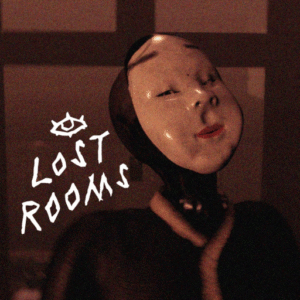

Now with NEW CODE Detection! Unlock the latest LOST ROOMS Codes for Free cash, coins, gems, other in-game money and cool Roblox stuff!
Click here to go to our Roblox Codes index
How to Redeem LOST ROOMS Codes
- Pick “Copy” from one of the redeem codes shown on this page.
- Launch the game on Roblox. Wait for the game to fully load before looking for the codes menu.
- Click the WARDROBE button on the right side of the screen.
- Look in the bottom-left corner for the code field (under “CODE:”).
- Click REDEEM.
Quick Tips for Code Redemption
- Wait until the game fully loads before trying to redeem.
- Codes expire, so redeem them as soon as you find them here on MyGameDesk.com.
- If a code fails, double-check spelling/capitalization and make sure you haven’t already used it.
- Joining the official group or Discord sometimes unlocks extra codes or is required for certain ones.
- Bookmark (Windows/Linus Ctrl+D) (Mac cmd+D) and follow this game page for regular updates of new codes.
Click here to go to our Roblox Codes index
About LOST ROOMS
LOST ROOMS traps you in random rooms inspired by the Backrooms and other horrors. First grab tools like night vision and weapons, then team up with friends to loot and craft while surviving the night. Next, hunt the lurking creature before it finds you, using energy and items to stay alive longer. After clearing areas, push deeper into new zones for bigger challenges. Top 5 genres: Horror, Survival, Adventure, Backrooms, Multiplayer.
