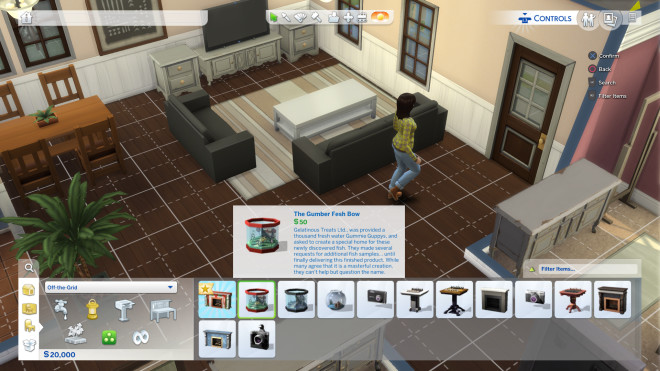
Find every cheat code you need to customize your game, from the classic ‘motherlode’ money cheat to build mode and relationship modifiers. Our updated list of Sims™ 4 codes helps you teleport, maximize skills, unlock career items, and fully edit your Sims in Create-a-Sim.
The Sims 4 does not have official gift/redeem codes like mobile games. Nothing new dropped in October 2026 for free in-game items.What exists instead:
Cheat codes (always work)
Enable first: testingcheats true
PC/Mac: Ctrl/Cmd + Shift + C
Console: hold all four shoulder buttons
Money
- motherlode — 50,000 Simoleons
- kaching / rosebud — 1,000
- money 100000 — set funds to that number
- FreeRealEstate on — lots are free (use in world view)
- sims.modify_funds +50000
Build
- bb.moveobjects on
- bb.showhiddenobjects
- bb.showliveeditobjects
- bb.ignoregameplayunlocksentitlement
- bb.enablefreebuild
Sims
- cas.fulleditmode
- sims.fill_all_commodities
- stats.set_skill_level Major_Handiness 10 (swap skill name/level)
Store promo codes (EA App checkout)
These are creator discounts, not in-game rewards. August’s extra 7% window already ended. Some creator codes like AMAZSIMS still get mentioned at ~5% off packs on the EA App. They stack with sales if they still work
Free stuff that isn’t a code
August 25 patch added 6 free CAS items and starter Sims to the base game. Next big patch is slated for late September. The free Country Kitchen Kit claim ended May 29, 2026.If you meant a CD-key / EA redeem key: that’s purchased product redemption in the EA App, not a public promo list. section) — no code needed
🎭 Gameplay & Needs Cheats
First, enter testingcheats true in the cheat console to enable these:
sims.fill_all_commodities– Maxes out all motives/needs for the active Simcas.fulleditmode– Allows full editing of existing Sims in Create-a-Sim (traits, body type, age, etc.)resetsim [First Name] [Last Name]– Resets a frozen or stuck Simaspirations.complete_current_milestone– Completes current aspiration goaldeath.toggle false– Prevents Sims from dying
🛠️ How to Enable Cheats
Type any code above and confirm.es like Carl’s Sims 4 Guide. Enjoy building your perfect Sims life! Let me know if you need cheats for a specific expansion or feature.
Open the Cheat Console:
- PC:
Ctrl + Shift + C - Mac:
Cmd + Shift + C - PlayStation / Xbox: Press all four shoulder buttons simultaneously (
L1 + L2 + R1 + R2orLB + LT + RB + RT) - Type
testingcheats trueand press Enter/Submit.
How to Redeem The Sims™ 4 Codes?
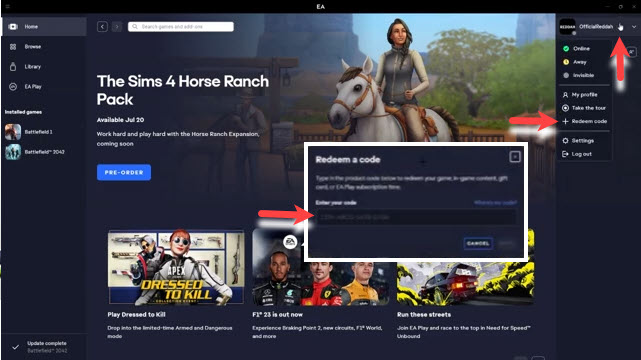
Time needed: 4 minutes
Here is the step-by-step guide on how to open the in-game cheat console in The Sims™ 4 and redeem a code:
- Open the Cheat Console
You must be in the game (Live Mode, Build Mode, or the Neighborhood/World view) to open the console.
(a) PC (Windows: Press Ctrl + Shift + C
(b) Ma: Press Command + Shift + C or Control + Shift + C
(c) PlayStation (PS4/PS5): Press all four shoulder buttons: L1 + L2 + R1 + R2 - Enable Testing Cheats (Optional, but Recommended)
For most powerful cheats—like changing a Sim’s full appearance, modifying relationships, or using the money cheat with an exact amount—you first need to enable the master cheat.
(a) In the console, type:testingcheats true(ortestingcheats onon console)
(b) Press Enter.
(c) You should see a message confirming “Cheats are enabled.” - Enter Your Code and press Enter.
Top 5 Gameplay Strategies for The Sims™ 4

- Utilize Aspirations for Satisfaction Points: You definitely want to keep knocking out those Aspiration milestones—that’s how you grab those super-useful Satisfaction Points. Cash them in for game-breaking Reward Traits like “Never Weary” or “Sleek and Clean”; they basically stop your Sim’s most annoying needs from decaying.
- Master Emotional Manipulation: Always try to get your Sim into the perfect mood, like Inspired or Focused, right before they start practicing a skill. This emotional high is basically a hidden turbo-boost that makes them learn things like painting, logic, or guitar way faster than usual.
- Prioritize Career Performance: Before sending your Sim off to work or school, make absolutely sure their Needs are full and they are in the best possible emotional state. A happy, well-rested Sim with high needs gets a massive bump to their daily performance, translating to lightning-fast promotions.
- Leverage Gardening and Crafting for Income: Forget those low-level jobs! Invest your Sim’s time into Gardening, Painting, or Woodworking early on, as these are easy ways to rake in cash from home. Selling high-quality harvests, masterpieces, or custom furniture will easily make you rich much faster than a standard career.
- Use the “Move Objects” Cheat for Building: You absolutely need to use the
bb.moveobjects oncheat—it’s the best secret weapon for builders. It lets you place furniture and objects anywhere, overriding the annoying grid to create complex, realistic, and truly amazing custom spaces.
More About The Sims™ 4
The Sims™ 4 is a life simulator and an open-world sandbox offering substantial creative tools, effectively making it a blend of life simulation, social simulation, strategy, sandbox, and construction and management genres. Players design unique Sims, build their dream homes using robust building tools, and guide their characters through all major life stages. Furthermore, they develop skills, manage relationships, and pursue various careers.

Consequently, the core gameplay loop focuses on endless experimentation and storytelling, emphasizing player freedom. Because the base game is now free, new players can jump right in and experience the fundamental mechanics. Furthermore, an extensive catalog of expansion packs continually adds new worlds, features, and detailed gameplay, ensuring a fresh experience and truly allowing players to play with life.